In short: A gift's real cost is not the price tag. It is the odds it gets returned because it is the wrong platform. We sorted the 2026 best gifts for gamers by how much you must know about their setup. Zero-risk picks work on any machine. Low-risk picks need one answer, and high-risk picks demand their exact console. If you do not know the answer to "Which platform do they actually play on?", start at the top of this list and stay there until you do.
We write buying guides, not product reviews. We have not tested every item on this page, and specs come from the manufacturer or the listing. Whatever Amazon shows when you click — price, availability, ratings — is the authoritative figure.
This article contains affiliate links. If you buy through one, we earn a small commission at no extra cost to you. We only recommend what we would suggest to a friend.
The Federal Trade Commission's endorsement guides, 16 CFR Part 255, require a disclosure like that one to be difficult to miss, so it sits above every link here. Our full affiliate disclosure has the rest.
Most gaming gift guides sort by price or category. A headset section, a keyboard section, a "gifts under $50" section, then twenty products across five incompatible machines and no map of which belongs to which. Wrong axis.
The right axis is platform risk: how much you must know about the recipient's setup before the gift is usable. A desk mat works on any machine. A controller does not. A game card for the wrong console is a return slip waiting to happen.
For the longer version of this logic, our pillar guide Gifts for Gamers When You Don't Play Anything walks through the same question from the other direction. This page is the 2026 sorted list.
Which platform do they actually play on?
Which platform do they actually play on? That question decides every gaming gift, and it comes before budget, before category, before anything else. A controller is bought for a machine. A headset is bought for a machine. A game is bought for a machine. Get the machine wrong and the rest does not matter.
The problem is that "gamer" does not tell you the machine. Pew Research Center reported in 2024 that 85% of U.S. teens say they play video games. That stat covers phones, consoles, and PCs, and it tells you nothing about which one they reach for first. A teenager on a phone is not the same buyer as a teenager on a PlayStation 5.
Adults play too. Pew Research Center found in 2018 that 43% of U.S. adults say they often or sometimes play video games. The person you are shopping for may be fifty, may play on a laptop in the kitchen, may have started gaming during the pandemic and never stopped.
Do not picture a teenage boy at a desk rig. Four-in-ten women and roughly a quarter of adults ages 65 and older play video games at least sometimes, according to Pew Research Center's 2017 data. The recipient could be your mother, your grandfather, your coworker.
So before you buy anything, confirm your intended platform, such as PlayStation 5, Xbox Series X or Series S, Nintendo Switch, Steam Deck, or a gaming PC. If you cannot confirm, skip to the zero-risk section and stay there.
Our suggested platform confirmation checklist — copy and fill in before you open a store page:
- Platform: ____.
- If console: which generation? (PS5, not PS4; Xbox Series, not Xbox One).
- If PC: laptop or desktop? Desk or couch?
- Do they already have a headset they use daily?
- Do they already have a controller they like?
- Is there a VR headset in the house?
Zero-risk gifts for gamers that can't be the wrong machine
Zero-risk gifts do not plug into a console. They do not pair with anything. They do not care whether the recipient plays on a PlayStation 5, a Steam Deck, or a phone. These are the gifts you can buy knowing nothing about the setup, and they are where every blind purchase should start.
A gaming chair is the largest zero-risk item. It sits under the player, not inside the machine. Ergonomic seating matters more for someone who plays for extended periods than for someone who plays for a short amount of time. The listing's weight and height ranges are the only specs worth checking.
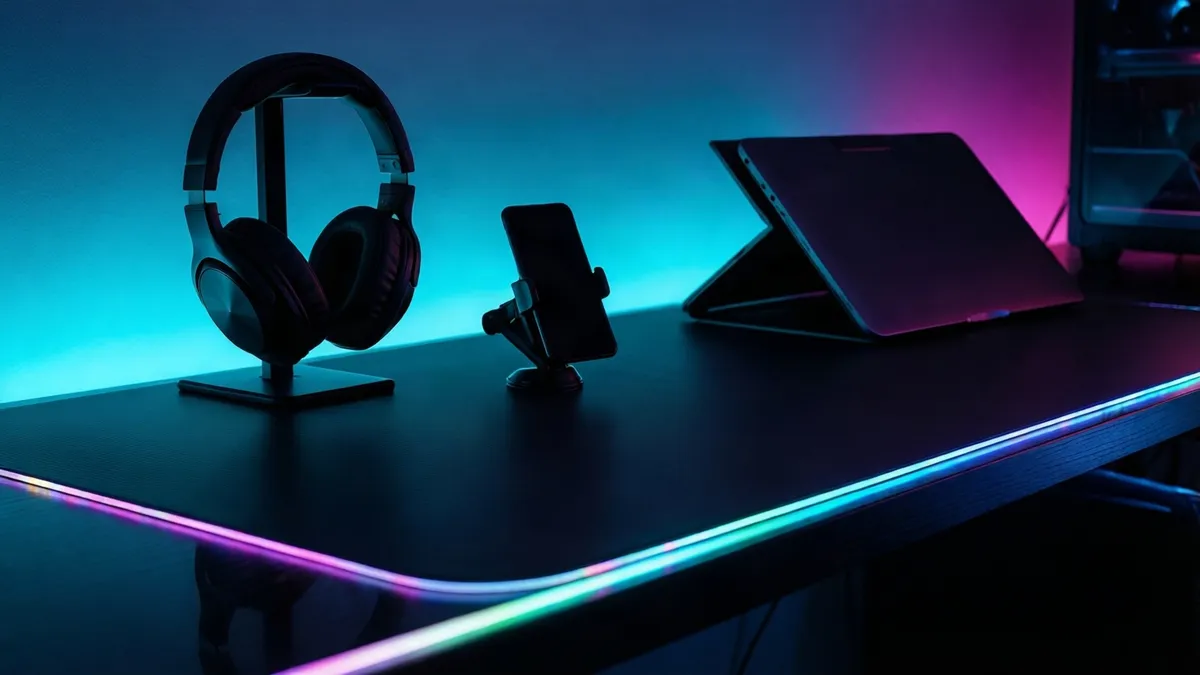
A large desk mat is the safest small gift in gaming. It works under any mouse, any keyboard, any controller charging on the surface. Pick a color, pick a size that fits the desk, stop worrying about compatibility.
A headset stand is the gift nobody buys for themselves and nobody returns. Every player with a headset sets it down somewhere, usually on the desk edge where it falls. A stand solves that regardless of which headset they own.
LED light strips are zero-risk if you avoid branded ecosystem ones. Plain RGB light strips with a remote or a simple app work behind any monitor, any TV, any desk. Skip the ones that require a specific platform's software to function.
A phone mount covers the player who games on a cell phone. Given the Pew data above, that may well be the platform they use most. A clip-on mount or a desk stand costs little and fits any phone.
Lap desks belong here too. For the couch gamer who plays on a laptop or a handheld, a lap desk with a wrist pad works regardless of machine. It is the kind of thing players rarely buy for themselves.
Lumbar pillows and wrist rests round out the tier. Comfort accessories ask nothing about the platform. They ask only whether the player sits at a desk or on a couch, which you probably already know.
The common thread: none of these ask which platform. None get returned for being the wrong format. They are the floor of this list.
The best gifts for gamers need one confirmed fact
One confirmed fact unlocks an entire tier. Know the platform, and you can buy games, subscriptions, and storefront credit with near certainty. Do not know it, and the same items become gambles.
Storefront gift cards are the safest gift that still requires knowing the platform. A card for the PlayStation storefront works only on PlayStation. A card for the Xbox storefront works only on Xbox. Each is useless on the other four machines. But if you know which machine they play on, a gift card is the closest thing to a guaranteed hit. The player buys exactly what they want.
Subscriptions work the same way. Each platform runs its own membership that unlocks online play, a rotating game library, or cloud saves. If they already subscribe, a renewal extends what they have. Many platforms let you stack time on an active membership. If they do not subscribe, you are buying access to a library they can browse immediately.
Specific games are riskier than gift cards even when you know the platform. You also need to know what they already own and what they like to play. A game they finished last month is a return. A game in a genre they dislike is a return. If you are set on a specific title, check the Entertainment Software Rating Board (ESRB) rating to confirm the age category is appropriate, especially for someone else's child. The ESRB rates games from E (Everyone) to AO (Adults Only), and the rating appears on every physical case and every digital listing.
If you are buying a digital gift for a child under 13, the Federal Trade Commission's Children's Online Privacy Protection Rule (COPPA) may apply. This may mean their account has parental controls that restrict certain purchases. Check with the parent before buying a subscription or gift card for a child's account, because the account may not be able to redeem it without parental approval.
Retro and handheld consoles sit in this tier too. A standalone retro handheld is its own machine, so it does not need to match the recipient's main platform. But it does need to match their interest in retro games, which is a taste question. Buy one for someone who talks about old games. Do not buy one for someone who only plays the latest releases.
Tabletop adaptations of video games belong here as well. They are platform-agnostic, but they only land if the recipient already plays board games or has expressed interest. A board game for a non-board-gamer is a shelf ornament.
Peripherals, ranked by how much you must know
Peripherals are where platform risk gets serious. A headset, a controller, a keyboard, a mouse, a storage card: each has compatibility rules, and each fails differently when you get them wrong. The table below sorts them by how much you must confirm before clicking buy.
| Peripheral | What you must know | Risk if wrong | Our judgment |
|---|---|---|---|
| Gaming headset (wired) | Platform + port type | May need an adapter | Moderate — 3.5mm works nearly everywhere |
| Gaming headset (wireless) | Exact platform + dongle support | May not pair at all | High — wireless protocols vary by console |
| Controller | Exact console generation | Will not pair | Very high — controllers are not cross-compatible |
| Gaming mouse | PC vs. console | Useless on most consoles | Low for PC, skip for console |
| Mechanical keyboard | PC only + switch preference | Wrong switches, unused gift | High — feel is preference, not spec |
| Storage expansion | Exact console or PC standard | Will not fit the slot | Very high — each machine, each standard |
| VR headset | Platform + existing VR library | Expensive paperweight | Very high — never buy blind |
| Mobile controller clip | Phone model + clip compatibility | May not fit the phone | Moderate — check the listing's phone list |
| Fight stick | Platform + fighting-game interest | Useless outside the genre | High — niche, platform-locked |
| Streaming gear | PC + whether they already stream | Unused if no streaming setup | High — only for confirmed streamers |
Our take: If you cannot confirm the platform, stop at the zero-risk tier and do not pass it. The peripherals table is for buyers who have filled in the first line of the checklist, and even then, storage and VR demand more than one answer. Our call: a wired headset is the safest peripheral bet for a confirmed platform, and a desk mat is the safest bet for an unconfirmed one. The recipients where the call differs are players who have told you exactly what they want by name. In that case, buy that and nothing else.
A wired gaming headset is the most gift-friendly peripheral because a 3.5mm jack works across more setups than any wireless protocol. The manufacturer's listing states whether it uses 3.5mm, USB, or both. A 3.5mm headset works with PlayStation 5, Xbox Series X and Series S, Nintendo Switch in handheld mode, and a gaming PC. A USB headset may be PC-only. Favor wired over wireless when buying blind.
Controllers are the trap. A controller made for PlayStation 5 will not pair with an Xbox. A controller made for Xbox will not pair with a PlayStation. Nintendo Switch controllers do not work on other consoles. The manufacturer's listing states the compatible platform explicitly. Read it.
A gaming mouse is almost always a PC gift. Consoles generally do not support mouse input in games. If the recipient plays on a gaming PC, a mouse is a strong pick. If they play on a console, skip it.
A mechanical keyboard is a PC-only gift with an extra risk layer: switch type. Switches are the mechanism under each key, and they come in tactile, linear, and clicky variants. Someone who wanted quiet keys will not adapt to loud ones. If you cannot ask, buy the desk mat and keep the receipt.
Storage expansion is the most technical gift on this list, and the listing lies by omission. Each console takes its own standard: a specific NVMe format for PlayStation 5, a proprietary expansion card for Xbox Series X and Series S, a microSD card for Nintendo Switch. The console maker's support page is the only place worth confirming the exact standard before you order. Get it wrong and the card physically will not fit.
VR headsets are the highest-risk gift in gaming. They are expensive, platform-specific, and a player who does not already own VR content has nothing to play on day one. Do not buy a VR headset as a surprise. If they have asked for a specific model, buy that model. If they have not, do not.
Fight sticks are a niche gift for fighting-game players on PlayStation or Xbox. They are useless for anyone who does not play that genre, and they are platform-locked. Streaming gear like capture cards and USB microphones is PC-specific and only useful if the recipient already streams or has said they want to start. A monitor is a PC-only gift that demands desk space and the right ports; buy one only if the recipient has asked for a specific model.
Gifts for gamers on the blacklist: what they already own or hate
Some gifts get returned because they are the wrong platform. Others get shelved because the gamer already has one, or because the gift solves a problem they do not have. Here is what to avoid.
Mechanical keyboards with the wrong switches. Covered above, but it bears repeating. Switch feel is a preference, and buying a keyboard blind is a coin flip. The player who wanted quiet linear switches will not adapt to clicky ones.
Mice built for one playstyle. A mouse designed for fast-paced competitive shooters has a different shape, weight, and sensor than one designed for strategy games. Buying the wrong one is a comfort error, and the player will know within ten minutes. If you do not know their playstyle, skip the mouse.
Any VR headset for a non-VR player. The most expensive mistake on this list. VR headsets cost hundreds of dollars, require a clear play space, and need content the recipient may not own. A player who has never expressed interest in VR is not surprised into loving it by a headset in a box.
Novelty building sets based on gaming brands. These photograph well on gift guides. They also sit unbuilt, because a player who wanted a gaming gift did not want a model kit. If they specifically collect building sets, fine. If not, skip it.
A second controller when they already have two. Controllers are a common gift, and most console owners already have the ones they need. A third controller is clutter, not a gift. Check how many they have before buying another.
Gaming apparel and merch is the lowest-effort gift and the lowest-hit-rate one. A hoodie with a game logo is safe the way a mug is safe for a teacher: technically fine, rarely exciting. If you go this route, know the specific game they care about, and buy from the official storefront so the licensing is legitimate.
Charging stations and docks are useful only if the recipient does not already have one. Many console owners buy one in the first month of ownership. Check before you order.
What $25, $50, and $100 buy in safety
Price bands below are ours, not a sourced figure. They reflect where each dollar goes furthest toward a gift that gets used, not returned.
Under $25, the zero-risk tier is your only reliable option. A desk mat, a headset stand, a phone mount, LED strips. These cost little, fit any platform, and get used every session. At this budget, do not attempt peripherals or games. The risk-to-reward ratio is wrong.
$25 to $50 opens up the low-risk tier if you know the platform. A storefront gift card in this range is a guaranteed hit because the player picks their own content. A subscription month or three falls here too. A wired headset enters this band at the low end, though quality varies and the listing is your only guide.
$50 to $100 is where peripherals become viable. A solid wired headset, a mid-range gaming mouse for a confirmed PC player, a controller for a confirmed console. All of these land in this band. The key word is confirmed. If you have not filled in the checklist, this budget is better spent on a larger zero-risk gift than on a peripheral that might not pair.
If you guess wrong above $100, you face a real loss. A VR headset, a console, a high-end mechanical keyboard, a storage expansion card, a monitor. These are gifts that demand exact knowledge or a direct request. If the recipient has asked for a specific item by name, buy it.
If they have not, consider a group gift coordinated through a dedicated pooling platform. Multiple people contribute toward one expensive item, and no one guesses wrong. Each platform charges a small per-contribution card fee. Check the platform's own pricing page before you start one. Pick one person who knows the recipient's setup to confirm the item, then pool the funds. Do not let four people each buy a $50 component when one $200 item is what the player actually wants.
Experiences belong in this band too. Tickets to an esports event or a pass to a gaming café are zero-risk on platform and high on thought. They only fail if the recipient cannot attend the date, so check their schedule or buy an open-ended voucher.
Which gaming gifts are most likely to be returned or already owned?
Controllers lead the return rate because they fail on a single mismatch: wrong console generation. Specific game titles follow, because a game the player already finished is an instant return. Storage cards get returned when the buyer guessed the format instead of checking the console maker's support page. Mechanical keyboards get returned less often, but they get shelved: the player keeps it and never uses it because the switches are too loud or too stiff for their preference.
How can I verify a gaming gift is compatible before buying?
Open the console maker's official support page and search for the accessory category. The page lists which standards the console accepts for controllers, headsets, and storage. For games, check the ESRB rating and the platform label on the digital storefront listing. For peripherals, the manufacturer's listing states compatible platforms in a dedicated field. Read that field, not the product title, which often says "universal" when it is not.
What is the best gift for a gamer who plays on a laptop?
A lap desk with a wrist pad, a compact mouse, and a desk mat. Laptop gamers rarely have a dedicated desk setup, so surface and comfort gifts beat hardware upgrades. A cooling pad can help if the laptop runs hot during sessions, but check the laptop's dimensions against the pad's listed size before ordering. Avoid desktop-only peripherals like full-size mechanical keyboards, which defeat the portability that laptop players chose in the first place.
Are gaming subscriptions still a good gift if the gamer already subscribes?
Yes, most platforms let you stack subscription time on top of an active membership. The added months extend the expiration date rather than replacing it. Confirm the platform's stacking policy on its support page before buying, because at least one major platform restricts stacking during certain promotional windows. If stacking is blocked, a storefront gift card at the same price is the fallback: it spends on games instead of time, and no policy can expire it.
What gaming gifts work best for accessibility or gamers with limited mobility?
Adaptive controllers exist for each major console, and they support one-handed play, limited reach, and customized input mapping. These are platform-specific, so you must know the exact console. A controller with remappable buttons is a lower-cost alternative that helps players who need certain functions moved to easier-to-reach positions. A lap desk with an angled surface can also reduce strain for a player who games from a couch or a bed. When in doubt, ask the player directly what would help. Accessibility needs are specific to the person, and a surprise gift in this category often misses.
What is the best way to coordinate a group gift for an expensive gaming item?
Pick one person who knows the recipient's setup to confirm the exact item and platform. Use a dedicated pooling platform to collect contributions from multiple buyers. Each person contributes what they can, and no one has to guess compatibility. Avoid having multiple people buy separate components. Components only work together if they are the right combination, and the recipient ends up managing four returns instead of opening one box.
Are the gifts on this page tested by experts?
No. We write buying guides, not reviews, and nothing here was tested by us. Our recommendations are based on platform compatibility rules, manufacturer specifications, and the logic of what gets used versus what gets returned. If you want hands-on testing, look to outlets that name their reviewers and publish their methodology. Our value is sorting by risk so you do not buy the wrong thing, not telling you which headset sounds better.
Marcus Vega writes buying guides, not reviews; nothing here was tested by us.
Sources
- Pew Research Center — "Gaming" (https://www.pewresearch.org/topic/internet-technology/platforms-services/entertainment/gaming/) "Retrieved 2026-08-23".
- Federal Trade Commission — "Children's Online Privacy Protection Rule ("COPPA")" (https://www.ftc.gov/legal-library/browse/rules/childrens-online-privacy-protection-rule-coppa) "Retrieved 2026-08-23".
- Federal Trade Commission — "Guides Concerning the Use of Endorsements and Testimonials in Advertising" (https://www.ftc.gov/legal-library/browse/federal-register-notices/guides-concerning-use-endorsements-testimonials-advertising) "Retrieved 2026-08-23".