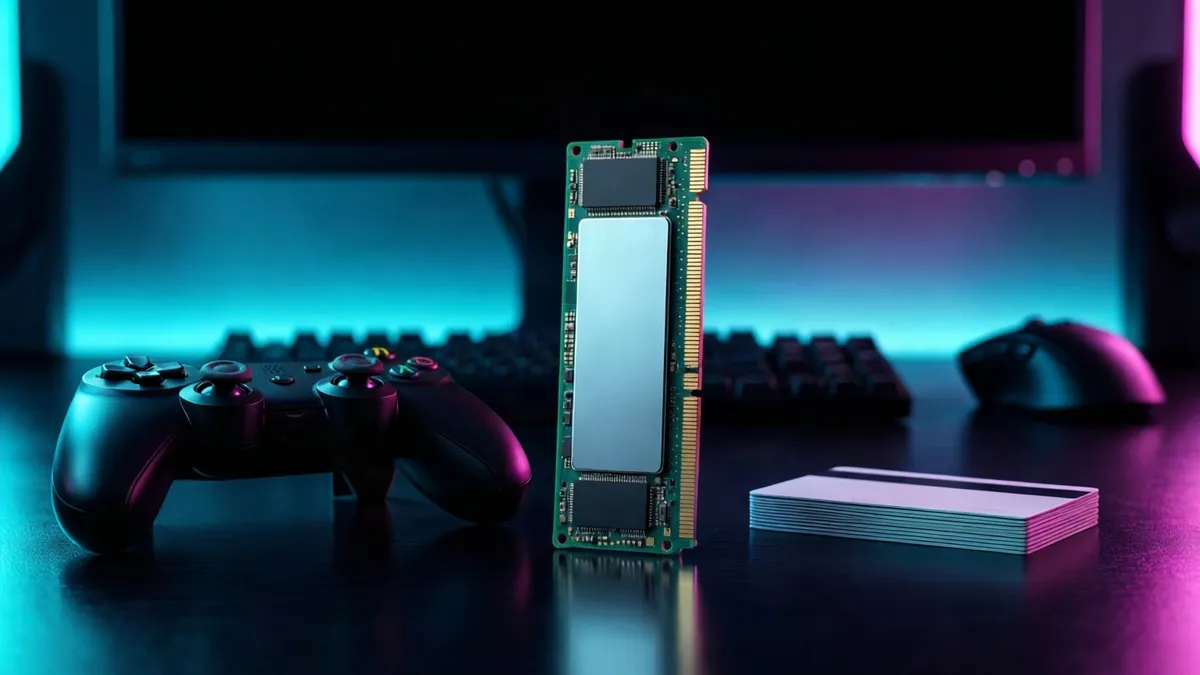
In short: Skip the bare drive and the gift card. The best SSD gift for a PS5 owner is an officially licensed or heatsink-equipped 2TB or 4TB M.2 drive. It installs in minutes, plays PS5 games directly, and gives the player real room to breathe.
We write buying guides, not product reviews. We have not tested every item on this page, and specs come from the manufacturer or the listing. Whatever Amazon shows when you click — price, availability, ratings — is the authoritative figure.
This article contains affiliate links. If you buy through one, we earn a small commission at no extra cost to you. We only recommend what we would suggest to a friend.
The Federal Trade Commission's endorsement guides, 16 CFR Part 255, require a disclosure like that one to be difficult to miss, so it sits above every link here. Our full affiliate disclosure has the rest.
Storage is the one upgrade a PS5 owner always needs more of. Modern AAA games fill a drive fast, and the stock console ships with less usable space than most people expect. An internal SSD is a gift that gets used every session, not a novelty that sits in a drawer.
Which platform do they actually play on? That question decides every gaming gift, and for this article the answer is settled: PlayStation 5. If you are not sure, start with our Gifts for Gamers When You Don't Play Anything guide and narrow from there. The storage advice below only applies to Sony's current console.
The same logic applies if you are working from our Best Gifts for Gamers 2026, Sorted by Platform Risk. Internal SSDs sit in the low-risk tier because they need one answer, PS5 ownership, and nothing more.
Confirming the platform before you buy
Before you buy storage, confirm the console. A PS5 SSD gift only works if the recipient owns a PlayStation 5, not a PlayStation 4 or an Xbox. The drive physically will not fit in any other machine.
The PS5, PS5 Slim, and PS5 Pro all share the same M.2 expansion slot. Sony's support page specifies the requirements: an M.2 NVMe SSD, PCIe 4.0 interface, and a heatsink. Any of the three console models accepts the same drives, so you do not need to know which variant they own.
Why an internal SSD beats an external drive for a PS5 gift
An external USB drive is the obvious safe choice. It plugs in, no tools, no opening the console. But it has one crippling limitation for a PS5 owner.
It cannot play PS5 games from the drive. Sony's support page is clear on this. External USB drives can store and back up PS5 games, but playing a PS5 game requires copying it back to the internal storage first. That copy takes time, and it defeats the point of extra storage. External drives can play PS4 games directly, which helps if the recipient has a large backward-compatible library.
An internal M.2 SSD plays PS5 games directly. No copying, no waiting. The console treats it as an extension of the main storage, not a separate volume. A player who receives an external drive still has to manage storage. A player who receives an internal SSD just has more room.
Licensed drives vs. standard SSDs: what the label actually buys
Officially licensed PS5 SSDs cost more. The question is whether the premium is worth it for a gift.
A licensed drive comes with a preinstalled heatsink and PlayStation branding. The heatsink is the functional part. Sony requires one, and a licensed drive guarantees the heatsink fits the PS5's M.2 bay within the thickness limits Sony's support page specifies. No guessing, no separate purchase, no compatibility risk.
A standard M.2 SSD can work just as well. Many PCIe 4.0 NVMe drives meet Sony's published requirements. But if the drive does not come with a heatsink, you need to buy and attach one separately. That adds a second item to your order and a second compatibility check.
For a gift, the licensed drive removes a step. The recipient opens the box, installs the drive, and formats it. No shopping for a heatsink, no wondering whether it fits. That simplicity is what the premium buys. A standard SSD with a preinstalled heatsink achieves the same result without the license. You can find these by searching for PCIe 4.0 NVMe drives with heatsinks and checking that the listing confirms inclusion.
Choosing capacity: 2TB vs. 4TB
Capacity is the decision that determines whether the gift feels generous or small. Modern AAA games are large, and a drive that fills up in three months is not much of a gift.
Sony's support page lists supported capacities, and the range is wide. The practical question is where the value sits. A 2TB drive roughly doubles the storage of a launch PS5. For most players, that is enough to hold a library of 40 to 50 games without constant management. A 4TB drive goes further, giving a player who buys new releases regularly room to stop thinking about storage entirely.
Cost per gigabyte favors the larger drives. The price gap between 2TB and 4TB is smaller than the capacity gap, which means 4TB delivers more storage per dollar. If your budget allows, 4TB is the more generous gift.
For a recipient who plays one or two games at a time, 2TB is plenty. For someone who keeps a rotating backlog of multiplayer, live-service, and single-player games all installed, 4TB is the better call. Drives up to 8TB exist but cost more per terabyte and are harder to justify as a gift. SSD prices fluctuate, so check the current price before you commit.
Installing the drive before wrapping it
This is the question no SSD roundup answers, and it is the one a gift buyer actually faces. The drive arrives. Do you open the console yourself, or hand it over in the box?
Do not install it unless the recipient knows the gift is coming. A surprise drive already inside the console removes the satisfaction of doing it themselves, and some players are particular about who opens their hardware.
If you do install it, the process is simple. Sony's support page walks through each step, and the console guides the rest:
- Update the PS5 system software to the latest version.
- Power off the console completely and unplug the power cable.
- Pop off the side panel by sliding it outward.
- Unscrew the M.2 expansion slot cover.
- Seat the drive in the slot and secure it with the included screw.
- Replace the cover and side panel, then plug in and power on.
- Format the drive when the console prompts you on first boot.
Formatting takes a few seconds. After that, the drive is ready and the console treats it as part of the main storage. If the recipient is not comfortable opening electronics, offer to help. The process needs no special tools beyond a screwdriver, but the first time is easier with two people.
Skip the gift card: why an SSD is the better bet
A PlayStation Store gift card feels like the safe choice. No compatibility risk, no installation, no wrong capacity. The recipient buys what they want.
But a gift card is not a gift. It is a budget transfer. The recipient spends it on whatever they were going to buy anyway, and the gesture disappears into their normal spending.
An SSD is a tangible upgrade. It sits inside the console and changes how the player uses it every day. Every time they install a game without deleting an old one, they think about the person who gave them the room to do it.
The one situation where a gift card wins: you are not certain they own a PS5. If there is any doubt about the platform, a gift card avoids a return. But if you have confirmed the platform, an SSD is the better gift.
Specs that matter, and the ones you can ignore
Most SSD marketing is noise. For a PS5 gift, three specs decide whether the drive works. The rest do not matter.
Interface. PCIe 4.0 NVMe. Sony's support page requires it. A PCIe 3.0 drive will not meet the minimum read speed and may trigger a performance warning. A PCIe 5.0 drive works but offers no benefit in a PS5 and costs more.
Form factor. M.2 2280. The PS5 accepts drives from 2230 to 22110 in length, but 2280 is the standard size and the one most drives use. Do not overthink this.
Heatsink. Required. Sony's support page specifies maximum thickness for the drive and heatsink combination. A drive with a preinstalled heatsink removes the guesswork.
Everything else, from DRAM cache to NAND type to sustained write speeds, matters to a PC builder running benchmarks. For a PS5 gift, the real-world load time differences among fast PCIe 4.0 drives are minimal. A drive that meets Sony's requirements will perform well. Many recommended drives carry five-year warranties, which is standard for this category and not a differentiator worth paying extra for. The same drive will also work in a gaming PC, making it a dual-purpose gift if the recipient ever upgrades their rig.
Gift-buyer's checklist (our suggested version) — copy this before you click buy:
- Confirmed the recipient owns a PS5 (not PS4, not Xbox).
- Drive is PCIe 4.0 NVMe, M.2 form factor.
- Heatsink is preinstalled or included separately.
- Capacity is 2TB or 4TB.
- Drive length and thickness fit Sony's published limits.
Four SSDs that fit the PS5 gift brief
The table below compares four drive types that meet every requirement in this guide. Price bands below are ours, not a sourced figure. We have not tested these drives; the specs come from manufacturer listings.
| Drive type | Capacity | Licensed or standard | Heatsink | Price range (ours) | Best for (our judgment) |
|---|---|---|---|---|---|
| Licensed PS5 SSD, 2TB | 2TB | Licensed | Preinstalled | $150 to $200 | The no-guess gift for any PS5 owner |
| Licensed PS5 SSD, 4TB | 4TB | Licensed | Preinstalled | $280 to $380 | The generous gift for a library hoarder |
| Standard NVMe with heatsink, 2TB | 2TB | Standard | Preinstalled | $130 to $180 | The value pick that meets every requirement |
| Standard NVMe with heatsink, 4TB | 4TB | Standard | Preinstalled | $250 to $350 | High capacity at a lower premium than licensed |
Our take: If you want the safest gift, buy the licensed 2TB drive, because it removes every guesswork step. If you want the best value, buy a standard PCIe 4.0 NVMe with a preinstalled heatsink at 2TB, because it meets every Sony requirement and costs less. Our call is 2TB for most recipients. We recommend 4TB only for players who keep dozens of games installed at once. The license premium is worth paying when you are not confident about installation.
FAQ
Which SSD should I actually buy as a gift for a PS5 owner?
An officially licensed 2TB PS5 SSD with a preinstalled heatsink is the safest pick. It guarantees compatibility, includes the required heatsink, and installs in under ten minutes. If you want to spend less, any PCIe 4.0 NVMe drive with a preinstalled heatsink from a reputable manufacturer meets Sony's published requirements. These typically cost less than the licensed equivalent.
Should I buy an internal expansion SSD or an external drive for someone who isn't comfortable opening their console?
An internal SSD is still the better gift, because an external drive cannot play PS5 games directly. Offer to help with installation. The process takes about ten minutes and requires only a screwdriver. If the recipient truly will not open the console, a PlayStation Store gift card is the fallback, not an external drive.
How much usable storage will the recipient have after formatting on a PS5 Slim or PS5 Pro?
Formatting overhead reduces the listed capacity by roughly the same proportion as any storage device. A 2TB drive will show less than 2TB of usable space after the PS5 formats it. Sony's support page does not publish exact post-formatting figures for every capacity, so expect the same percentage loss you would see on any drive.
Do officially licensed PS5 SSDs make better gifts than a standard SSD plus a separate heatsink?
Yes, for a gift. The licensed drive includes a heatsink guaranteed to fit the PS5's M.2 bay, which removes a compatibility check the buyer would otherwise have to do. A standard SSD with a preinstalled heatsink from the manufacturer achieves the same result without the license fee. The license matters most when you are not confident about the heatsink fitting, and matters least when the recipient has built a PC before.
Is 2TB or 4TB the better gift size for someone who mostly plays single-player AAA games?
2TB is usually enough. Most players who focus on one AAA game at a time finish it before starting the next, so they rarely need more than a handful of titles installed simultaneously. 4TB only makes sense for a recipient who keeps multiplayer, live-service, and a backlog all installed at once and still runs out of room.
Can I check someone's existing PS5 storage without logging into their account?
Not remotely. Storage usage is visible only on the console itself, under Settings, then Storage. If you cannot ask directly, assume they need more. The stock PS5 has less usable space than most people expect, and most owners fill it within the first year of ownership.
Which is the safer gift: an SSD or a PlayStation Store gift card?
An SSD is safer than you might think, as long as you have confirmed the recipient owns a PS5. The drive will work in any PS5, PS5 Slim, or PS5 Pro, and the same drive can later be moved to a gaming PC. A gift card is safer only when you are not certain about the platform. Gift cards also lock the recipient into the PlayStation Store, where digital game prices are often higher than physical copies at retail.
Marcus Vega writes buying guides, not reviews; nothing here was tested by us.
Sources
- U.S. Federal Trade Commission — "Guides Concerning the Use of Endorsements and Testimonials in Advertising" (https://www.ftc.gov/legal-library/browse/federal-register-notices/guides-concerning-use-endorsements-testimonials-advertising) Retrieved 2026-08-23.