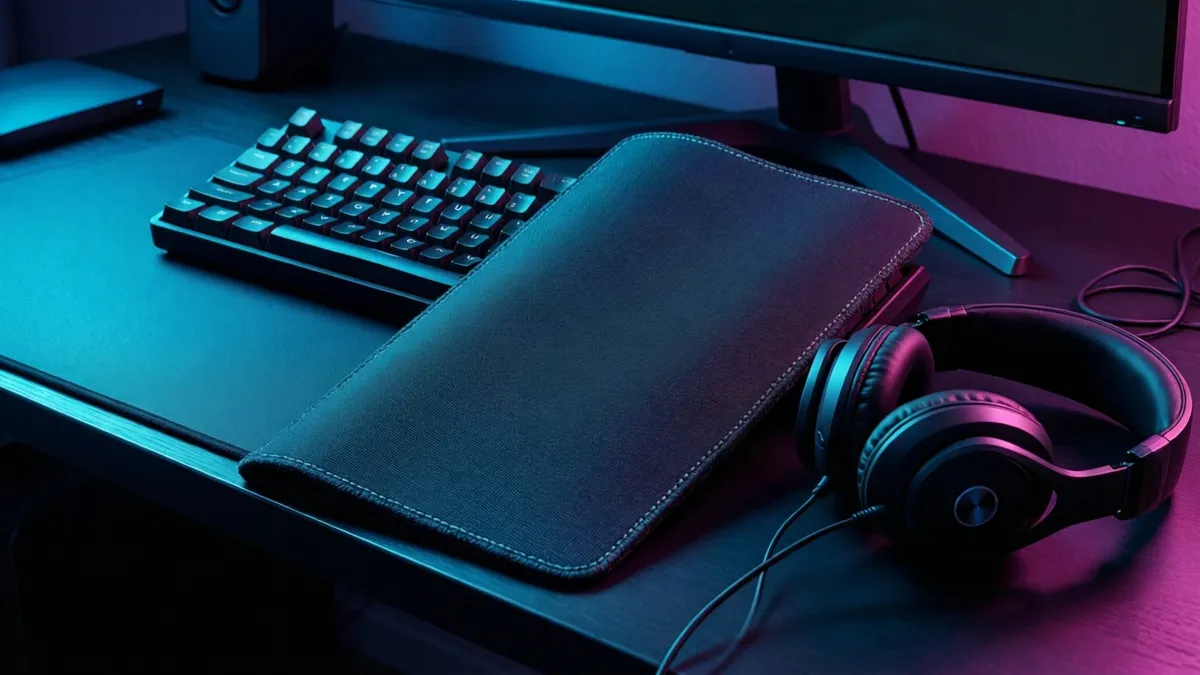
In short: The safest gifts for PC gamers are universal upgrades that respect their current machine. These include a large mousepad, a storefront gift card, or a headset that plugs into any PC. The coin flips are the ones that assume a taste you have not confirmed. These include a mechanical keyboard with a specific switch type, a monitor with a specific refresh rate, or a game they might already own. This guide separates the two so you know when to play it safe and when to take a risk.
We write buying guides, not product reviews. We have not tested every item on this page, and specs come from the manufacturer or the listing. Whatever Amazon shows when you click — price, availability, ratings — is the authoritative figure.
This article contains affiliate links. If you buy through one, we earn a small commission at no extra cost to you. We only recommend what we would suggest to a friend.
The Federal Trade Commission's endorsement guides, 16 CFR Part 255, require a disclosure like that one to be difficult to miss, so it sits above every link here. Our full affiliate disclosure has the rest.
PC gamers are not one audience. Eurostat's 2024 data shows 34% of internet users in the EU played or downloaded games, which puts the hobby firmly in the mainstream. Some play on a desk with a custom tower; others play on a laptop in bed. The one thing they share is a machine you probably cannot see and specs you probably cannot name.
That makes every gift a bet on how much you know. Are you shopping for a PC gamer and feel out of your depth? Our Gifts for Gamers When You Don't Play Anything covers the ground rules that apply across every platform. For a cross-platform view, Best Gifts for Gamers 2026, Sorted by Platform Risk ranks picks by how much you need to know.
The one question that decides every gift for PC gamers
Which platform do they actually play on? For PC gamers, that question has two layers: what hardware they run, and what they already own. Pew Research Center's 2023 survey found 49% of U.S. teens play video games on a desktop or laptop. The same survey reported 85% of U.S. teens play video games overall.
Statista's reporting on PC gaming worldwide tracks the same breadth, from laptop casuals to tower builders. The audience is not specialized. It is everyone.
The point: "PC gamer" covers too wide a range for a single gift to fit. A kid on a hand-me-down laptop and an adult with a water-cooled tower share a label, not a setup. You cannot buy one gift that serves both.
Safe picks work regardless of their hardware. Coin flips work only if you have confirmed their exact taste. The rest of this guide sorts the two, so you know when to play it safe and when to take a risk.
For an agreed desktop component upgrade, use the PC power supply calculator to check the power budget first. Confirm the exact card’s PSU recommendation, cables and case fit before buying.
Safe picks: upgrades that work on any rig
A large mousepad. A headset with a standard 3.5mm jack or USB plug. A desk mat. These are the gifts that work on any PC, whether it is a budget laptop or a custom build.
Eurostat's 2024 data shows EU men who use the internet were more likely than women to play or download games, at 37% versus 30%. The audience is broad and not specialized, which is exactly why universal accessories win. They do not ask the machine to be anything specific.
A large gaming mousepad is the closest thing to a can't-miss gift. Every PC gamer needs surface area, and most use one that is too small or worn thin. A USB gaming headset works because USB audio is standard across PCs. No drivers to install, no compatibility list to check.
A desk mat doubles as a mousepad and protects the desk underneath. It is the kind of thing people do not buy for themselves but use every day once they have one.
These picks share one trait: they respect the machine the gamer already has. They do not assume a spec, a preference, or a game library.
Coin flips: when gifts for PC gamers demand exact taste
A mechanical keyboard. A high-refresh monitor. A gaming mouse with a specific sensor. A game they might already own. These are the gifts that can be perfect or pointless, and the difference is one conversation you have not had.
Pew Research Center's 2023 survey found 44% of teen gamers use a voice chat service and 30% watch streams on a live-streaming platform. Eurostat's 2025 data shows 6% of EU internet users subscribed to gaming streaming services. Those numbers matter here. They tell you streaming gear is a coin flip: if the recipient does not stream or record, a streaming microphone sits in a drawer.
A gaming monitor is the same problem at a higher price. Refresh rate, panel type, resolution, screen size, and connector all need to match what their PC can drive and what their desk can hold. Get one wrong and the gift is a return, not an upgrade.
The mechanical keyboard trap and why it is the riskiest gift
Switch type is a preference, not a spec. That is the whole problem.
A mechanical keyboard is the most commonly recommended PC gaming upgrade, and it is also the one most likely to be returned. The reason is switch feel. Some players want a loud, clicky key that confirms every press with a sound. Others want a silent, smooth press that does not wake the house. Neither is wrong. Both are personal.
A mechanical keyboard bought blind is a coin flip on a preference you cannot see. The listing will name the switch type, but that tells you nothing about whether the recipient likes it. A player who wanted quiet keys will not be won over by loud ones. A player who wanted clicky feedback will not adapt to silent ones.
If you cannot ask, do not buy the keyboard. Buy a large desk mat instead. The desk mat is the safe version of the same impulse: you want to upgrade their desk. The keyboard is the version that requires their hands.
Storage expansion: the safe pick that needs one answer
Storage is the one upgrade nobody already has enough of. Games are large, drives fill up, and an extra external SSD is genuinely useful on almost any PC.
But storage is only safe if you know one thing: does their PC have an open slot, or do they need an external drive? A desktop with a spare NVMe slot takes an internal drive. A laptop usually does not, and needs an external one.
That is one question, not a spec sheet. If you can ask it, storage moves from coin flip to safe pick. If you cannot, default to external. External drives work on any PC with a USB port, and the manufacturer's listing states compatibility in plain language.
For console gamers, the same logic applies with different hardware. Our guide to The PS5 SSD Gift That Won't End Up in a Drawer walks through that version of the same decision.
The gift card fallback for PC gamers
A gift card is not a lazy gift for a PC gamer. It is the correct gift when you cannot confirm what they own or what their machine can run.
Eurostat's 2025 data shows 12% of EU internet users purchased digital copies of video games for personal use. Men in the EU were more likely than women to do so, at 17% versus 8%. PC gamers buy their games digitally. A storefront gift card feeds the habit they already have.
The only rule: match the store, not the console. A PC gamer who buys on one storefront will not appreciate a card for a different one. Our Gaming Gift Cards: Match the Store, Not the Console guide breaks down which card fits which player.
If you are out of intel on their setup, their library, and their preferences, the gift card is the floor. Everything else on this page is a step up in risk.
What not to buy for a PC gamer
Skip the console controller. A controller designed for a specific console may work on PC, but compatibility is not guaranteed, and the pairing process varies by game. If they play on PC, they likely have a controller they already prefer.
Skip the gaming chair unless you know their desk height, their room layout, and their back. A chair is a fit decision, not a gift decision.
Skip RGB lighting kits. They look fun in photos, but a PC gamer's desk is a workspace, and lighting is a preference that clashes with monitor calibration and room decor. What looks great on a store page often ends up turned off.
A cheat sheet: safe picks vs coin flips
Here is the quick version. If you cannot ask the gamer anything, stay in the left column.
| Gift category | Safe pick (our judgment) | Coin flip (our judgment) | Why it is risky |
|---|---|---|---|
| Headset | USB or 3.5mm wired | Wireless with a specific dongle | Battery life, dongle compatibility, latency preference |
| Controller | A PC-native wired controller | A console-specific wireless controller | Pairing process, software support varies by game |
| Keyboard | A desk mat, not a keyboard | Any mechanical keyboard | Switch type is a personal preference, not a spec |
| Storage | External SSD via USB | Internal NVMe drive | Requires knowing if they have an open slot |
| Mouse | A large mousepad | A high-DPI gaming mouse | Sensor, weight, shape, and button layout are all preferences |
| Monitor | Do not buy blind | Any monitor | Refresh rate, resolution, panel type, connector must match |
Price bands below are ours, not a sourced figure: safe picks tend to land under $50, while coin flips run $80 to $300 and up.
Our take: If you cannot name their graphics card, their keyboard switch type, or the last game they bought, stay in the safe column. A mousepad, a headset, or a gift card is not a compromise. It is the correct call. The coin flips are for when you have had the conversation, not when you are guessing.
Our suggested decision checklist (copy this):
- Do I know which storefront they buy games on? If yes, a gift card is safe. 2. Do I know if they use a desktop or laptop? If yes, storage is safe. 3. Do I know their switch type preference? If no, do not buy a keyboard. 4. Do I know their monitor's refresh rate and connector? If no, do not buy a monitor. 5. Can I confirm none of the above? Buy a mousepad or a gift card and stop.
What is the best gift for a PC gamer under $50?
A large mousepad or desk mat is the strongest pick under $50. Every PC gamer needs surface area, and a worn or too-small pad is the kind of thing people tolerate instead of replacing. A USB headset also lands under $50 if you shop the mid-range. Avoid mechanical keyboards at this price, as the switches and build quality drop off sharply at lower price points.
How do I choose a gaming monitor for a PC gamer?
You need three answers first: their graphics card, their current monitor's refresh rate, and the connector their PC uses. Without those, a monitor is a return waiting to happen. If you have all three, match the refresh rate to what their card can actually drive. Buying a high-refresh-rate monitor for a PC that tops out at a lower refresh rate wastes the gift.
Are mechanical keyboards worth the price for casual gamers?
For casual play, a mechanical keyboard is a preference, not an upgrade. A membrane keyboard works fine for most games, and the tactile difference matters most to people who type a lot or play competitively. If the recipient has never mentioned keyboards, they probably do not care. Spend the money on a better mousepad or a game they want instead.
What are the most popular gifts for PC gamers in 2025?
Headsets, mousepads, and gift cards remain the most popular and safest picks. Circana's 2026 video game forecast points to continued growth in digital purchases, which makes storefront gift cards more useful, not less. Streaming gear has grown in popularity but remains a coin flip unless the recipient already streams. The safest gifts have not changed: they are the ones that work on any rig.
How much should I spend on a gift for a PC gamer?
Under $50 buys a mousepad, a desk mat, or a basic USB headset. The $50 to $150 range opens up external storage and mid-range peripherals, but also introduces compatibility risk. Above $150, you are in coin-flip territory: monitors, mechanical keyboards, and high-end mice. The more you spend, the more you need to know.
What are some unique gifts for PC gamers that are not peripherals?
A digital storefront gift card is the most practical non-peripheral gift. A subscription to a game library service works if you know they do not already have one. Ergonomic accessories like a footrest or a wrist rest are low-cost, low-risk, and genuinely useful for long sessions. Avoid novelty items like branded apparel, which are shirts, not gifts.
Marcus Vega writes buying guides, not reviews; nothing here was tested by us.
Sources
- Eurostat — "Culture statistics - use of ICT for cultural purposes - Statistics Explained" (https://ec.europa.eu/eurostat/statistics-explained/index.php?title=Culture_statistics_-_use_of_ICT_for_cultural_purposes) Retrieved 2026-08-24.
- Pew Research Center — "Teens and Video Games Today" (https://www.pewresearch.org/internet/2024/05/09/teens-and-video-games-today/) Retrieved 2026-08-24.
- Statista — "PC gaming worldwide" (https://www.statista.com/topics/11985/pc-gaming-worldwide/) Retrieved 2026-08-24.
- Circana — "2026 Video Game Forecast & Top Games Trends" (https://www.circana.com/post/circana-forecasts-a-transformative-year-for-video-games-in-2026) Retrieved 2026-08-24.
- Federal Trade Commission — "Guides Concerning the Use of Endorsements and Testimonials in Advertising" (https://www.ftc.gov/legal-library/browse/federal-register-notices/guides-concerning-use-endorsements-testimonials-advertising) Retrieved 2026-08-24.